Multi-format banner creation: automating resizing
A successful digital advertising campaign relies on a simple principle: be present wherever your audience is, with the right message and the right format. The technical reality of this principle is a production nightmare. Every ad…

Jean-Baptiste DuquesneSEO, GEO & content operations · Published 25 July 2025 · Updated 25 October 2026
A successful digital advertising campaign relies on a simple principle: be present wherever your audience is, with the right message and the right format. The technical reality of this principle is a production nightmare. Every ad platform, from Google Display to Meta and LinkedIn, demands dozens of different banner sizes. Faced with this complexity, finding a professional multi-format banner creation tool, one that covers every platform from a single design, becomes an absolute priority for marketing teams.
However, many solutions on the market are just glorified resizing tools that simply shift manual work around instead of eliminating it. A true ad creative automation tool doesn't just change dimensions; it reimagines production to ensure speed, performance, and, above all, unwavering brand consistency. This article explains the limitations of manual production and what you should demand from a modern banner creation platform to achieve creative production automation at scale.
Part 1: The Endless Work of Manual Resizing
The Creative "Copy-Paste Syndrome"
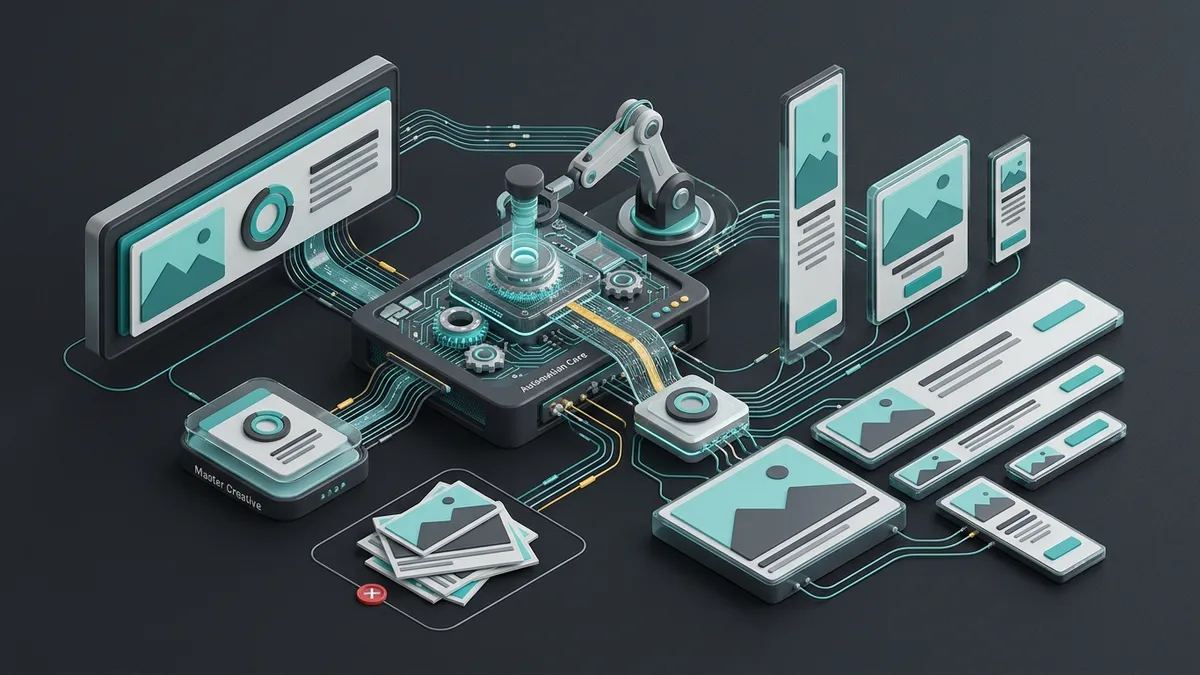
In a traditional creative process, a designer spends hours finalizing a "master" banner. Then the real tedious work begins: the adaptation. They must open their file, save it under a new name, and manually adjust the composition for a square format, then a vertical format, then a leaderboard banner. This is the stage where creative automation software provides the most value by removing repetitive tasks.
It is an incredibly repetitive task and prone to human error, such as misaligned elements or wrong text copied and pasted. This manual work is the main reason why banner production becomes a bottleneck, delaying campaign launches. Investing in a creative automation platform fixes this by allowing designers to focus on the original concept rather than the export process.
The Death of Agility and Testing
The direct consequence of this slow process is the near impossibility of conducting large-scale A/B tests. Your performance marketing team knows they should be testing ten different headlines against five different images, but requesting the manual production of fifty banners for each format is unrealistic. Utilizing an ad generator with AI can bridge this gap between creative capacity and marketing needs.
As a result, teams settle for testing one or two variations, severely limiting their ability to optimize campaigns. The lack of a true creative management platform (CMP) doesn't just cost you time; it costs you performance data and potential revenue. When production is slow, you miss the opportunity to improve ROAS on Facebook ads through continuous creative iteration.
Part 2: Beyond Resizing: Intelligent Automation
Content Adaptation, Not Just Resizing
A modern platform doesn't just stretch or crop an image; it understands composition. Using intelligent templates, it knows that for a vertical format, the headline should stay at the top and the logo at the bottom. This approach is key to bulk visual generation where the quality of each asset remains high regardless of its dimensions.
This intelligent content adaptation ensures that every generated banner is not only the right size but also aesthetically pleasing. Platforms like Creatopy (formerly Bannersnack) have popularized the idea of simplified ad banner and video creation to help teams move faster without losing quality. It is the fundamental difference between a simple design tool and a true automation engine, whether it works through ad creative generation via API or a user interface. This allows teams to produce high-performing Google Display ads without manual intervention.
One Design System, Every Platform
Each advertising network works as a technical silo. Google Display relies on standard IAB sizes, while social platforms expect square, landscape and vertical 9:16 formats. Instead of building separate designs, you develop one design system that generates "composition variants" for each platform: a version for Instagram Stories can use an immersive background, while the LinkedIn version stays more text-focused, both sharing the same brand DNA. The tool should also produce static, animated HTML5 and video outputs from the same workflow, so that a color shift on one network or a poorly cropped image on another never breaks the brand experience.
The Power of Centralized and Locked Templates
The heart of an effective banner automation system lies in its templates. The creative team designs a master template in which certain elements are "locked" (the logo, font, legal disclaimers) and others are "editable" (the headline, background image, CTA). This empowers marketers to generate all the banners they need autonomously, which is a core benefit of AI content generation with Brandeploy.
This empowers teams to create dynamic banner ads by simply changing the editable elements, with the absolute certainty that every creative will adhere to the brand guidelines. This is the very embodiment of AI creative variation generation, where the system's intelligence guarantees consistency across hundreds of assets simultaneously.
Part 3: Generating Multi-Format HTML5 Banners at Scale
For display campaigns, multi-format generation usually means HTML5: a single master creative is adapted into standard dimensions such as 300x250, 728x90, 160x600 or 320x50. HTML5 banners use HTML, CSS and JavaScript to render animations and buttons directly in the browser, which keeps them lightweight and interactive.
The method is simple. First, define a master template that holds the headline, the call-to-action and the core visuals. Once it is approved, use banner version management to propagate every change to all other sizes at once: edit once, apply everywhere. Then optimize assets so files stay light, and check each network's requirements with a platform compatibility guide before export.
Two pitfalls come up often. Localized text can break small formats: long German or French words easily overflow a 320x50 banner, so preview the text in every size before export. And approvals tracked by email quickly produce duplicate versions, so keep them in a creative workflow tool, with a final human check on the most important formats.
Part 4: Integrating Banner Production into the Marketing Ecosystem
A Direct Connection to Your Brand Assets (DAM)
To be truly effective, your banner creation tool must be connected to your content management solution, or Digital Asset Management (DAM). This means that when a marketer creates a new banner, they are selecting images that are already approved. This is often how an ad creation tool for agencies maintains quality control for multiple clients at once.
If a product image is updated in the DAM, all banners using it can be updated with a single click. This integration eliminates the risk of using outdated assets and transforms your digital content creation tools into a cohesive ecosystem. It facilitates creative generation from xls files by pulling the latest data directly into the design workflow. For large organizations with many markets and teams, see also what to expect from an enterprise banner creation platform.
Workflows for Localization and Translation
The multi-format challenge is often coupled with the multi-language challenge. A first-class system integrates localization into its workflow. After generating all banner sizes in English, the platform can facilitate the translation process using templates that automatically adapt to varying text lengths. This is a common feature found in bannerflow alternatives that prioritize global enterprise needs.
The PSD file translation process, once a manual nightmare, becomes a seamless, integrated step. This allows brands to quickly create Instagram ad variations for dozens of markets without rewriting every single file manually, ensuring the banner creation tool serves the entire global organization.
Brandeploy: Your Centralized Platform for Banner Production at Scale
Brandeploy is a creative automation and brand management platform that helps enterprise teams scale content production, banner creation, localization, and campaign deployment across multiple markets. At the heart of our platform are intelligent and dynamic templates where your creatives set the brand rules once. Your marketing teams can then instantly generate all the banner variations they need for their campaigns without ever compromising on brand consistency. Brandeploy also produces animated banners, videos and GIFs from your templates: see the Display page. To see how our technology can accelerate your marketing output, book a demo.
FAQ
What is a multi-format banner creation tool?
A multi-format banner creation tool uses intelligent templates to automatically generate dozens of ad sizes (square, vertical, leaderboard) from a single master design. Unlike manual resizing, these tools ensure that logos, text, and images are repositioned correctly, maintaining brand consistency across all digital platforms like Google Display, Meta, and LinkedIn.
Can I automate ad banner creation without losing brand control?
Yes, advanced platforms allow for creative production automation where designers lock brand elements (fonts, colors, logos) while letting marketers edit headlines or images. This self-service model enables teams to produce thousands of variations for A/B testing or localization without needing a professional designer for every small change.
Which banner sizes should a multi-format campaign cover?
For display, start with standard IAB sizes such as 300x250, 728x90, 160x600 and 320x50, then add the formats your social channels expect: square, landscape and vertical 9:16 for Stories. Always check the file size limits and technical requirements of each ad platform before export, and preview localized text in the smallest formats, where long words break layouts first.
What features should I look for in a multi-format banner tool?
Look for a solution that offers centralized templates, integration with your DAM, and dynamic scaling capabilities. It should support various outputs including HTML5, MP4, and static images, and propagate one edit to every size. The best tools also include localization workflows to manage multi-language campaigns efficiently within the same interface.
Why connect a banner creation tool to a DAM?
When the banner tool is connected to your Digital Asset Management (DAM) system, marketers only pick images that are already approved. If a product image is updated in the DAM, every banner using it can be updated with a single click. This removes the risk of publishing outdated assets and makes it possible to pull the latest data into the design workflow, for example from XLS files.

Written by
Jean-Baptiste Duquesne
SEO, GEO & content operations
Web pioneer since 1995, founder of the recipe site 750g.com (sold to Webedia), now industrialising SEO and GEO content production with AI.
Ready to scale your content production?
Book a demo