
Ad adaptation tool: one master, every format
Design a visual once, then adapt it to display, social, video and email formats without rebuilding the layout.
Book a demoBrandeploy is a creative automation platform that works as an ad adaptation tool. Every creative is built on a master with synchronised sizes attached to it: a change to the master is applied to every format. You can then fine-tune each size, translate the campaign and adapt it for each market.
These brands and agencies trust us



One master, synchronised sizes
A Brandeploy creative has a master, the reference version of the visual. The sizes derived from it stay synchronised. When you change a text, an image or a colour in the master, the change appears in every format. No more copying the same correction ten times.
- A single master per creative, used as the reference
- Synchronised sizes that pick up every change made to the master
- Size-by-size adjustments, to reframe a product or shorten a headline
- Consistency across every format of the same campaign
Preset display, social and video formats
Brandeploy offers preset formats for the most common uses. Add them to a creative in a few clicks, then complete them with the sizes required by your media plan. The same principles apply to video creatives, which can be adapted to 1:1, 9:16, 16:9 and 4:5.
- Social: square 1080x1080, story 1080x1920, portrait 1080x1350, 1200x627
- Display: billboard 970x250, top banner 930x180, skyscraper 120x600
- Landscape: 1920x1080 for screens and video
- Additional sizes, for example an email header
Locked templates to adapt without breaking brand guidelines
Adaptation relies on templates designed for your brand. Some layers are locked, such as the logo or legal mentions. Others can be edited through named fields: text, image, video, Lottie animation or sound. Marketing teams adapt creatives on their own, within a framework set by the studio.
- Locked or editable layers, depending on the role of each element
- Named fields to replace a text or an image without touching the layout
- Colours, fonts and logos taken from the brand guidelines
- Brandeploy template library and your own brand templates
Translation and market versions
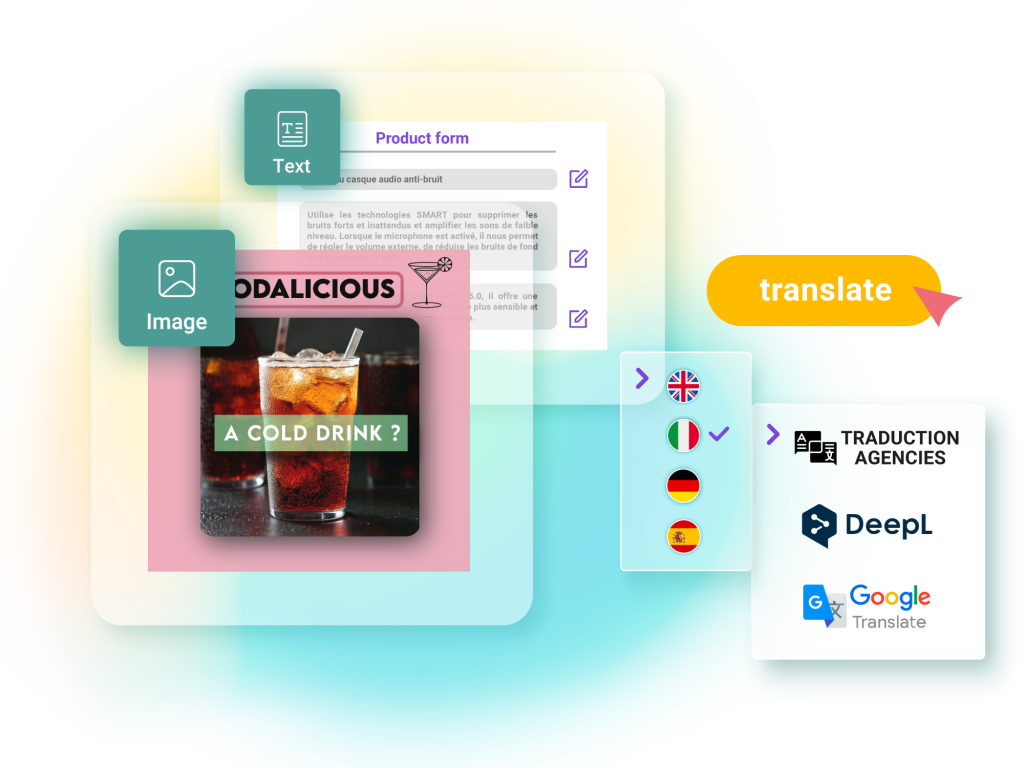
An international campaign is also adapted by language and country. Brandeploy automatically translates visuals, videos and banners into more than 80 languages. Markets (master, France, Italy, United Kingdom, etc.) have an availability workflow. Each country receives ready-to-use creatives in its own formats.
- Automatic translation into more than 80 languages
- Configurable markets, with a master and local versions
- Creative availability workflow per market
- Local adjustment of a size without changing other countries
Approval and export of every format
An adaptation often goes through several reviewers. Brandeploy includes configurable statuses, comments on creatives and due dates. Once approved, formats are exported in the file type each channel expects.
- Review and approval statuses tailored to your organisation
- Comments directly on creatives
- Export as image, PDF, GIF, MP4 video or HTML5 for banners
- “Create, comment, edit” rights assigned per user
How it works
- 1Choose one of your brand templates or import your Photoshop (PSD) files to make them editable.
- 2Build the master: texts, images, product and call to action.
- 3Add the sizes in your media plan from the preset formats or additional sizes.
- 4Adjust each format if needed, then translate the creative for your markets.
- 5Get it approved through the workflow, then export each format as image, GIF, MP4 or HTML5.
Customer proof
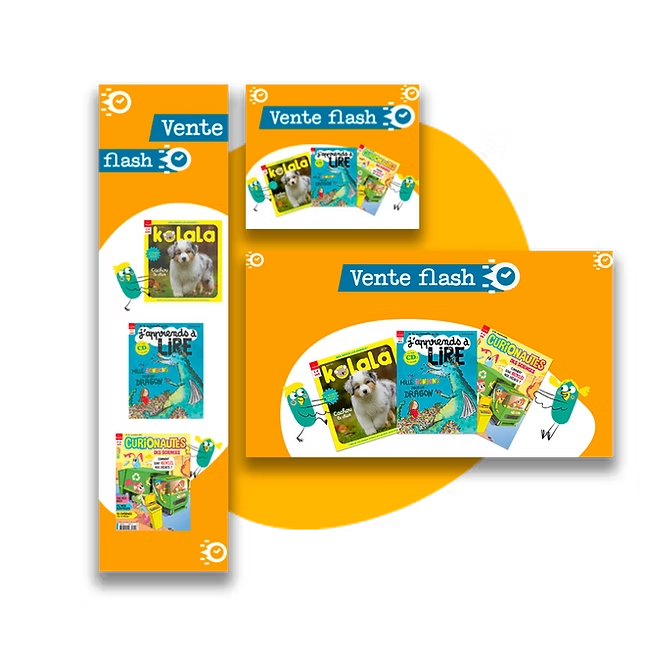
Bayard uses Brandeploy to produce its monthly banner sets. The group has cut the time spent creating these banners by 80%. Every month, the same campaigns must exist in many formats: exactly the use case for adapting from a master.Read the Bayard case study
FAQ
What is an ad adaptation tool?
It is software that adapts an advertising visual to several formats and channels from a single design. It avoids rebuilding the layout for each size. In Brandeploy, adaptation relies on a master and synchronised sizes.
What happens if I change the master after creating the sizes?
The change is applied to every size synchronised with the master. You correct a price or a date only once. Adjustments made to a specific size remain possible for special cases.
Can videos be adapted like banners?
Yes. Video creatives can also be adapted to several formats, including 1:1, 9:16, 16:9 and 4:5. They are exported as MP4 or GIF.
How do I adapt a campaign into several languages?
Brandeploy automatically translates visuals, videos and banners into more than 80 languages. Markets (France, Italy, United Kingdom, etc.) have their own availability workflow. Each country can adjust its creatives without touching the master.
Can I start from existing Photoshop files?
Yes. You can import several PSD files, then resize and translate them in Brandeploy. The “Layers from image” feature also turns a flat image into a creative with editable layers.
Show us a campaign to adapt and we will show you how to produce it in every format: book a demo.