
Brandeploy MCP server: create on-brand visuals from Claude
Connect Claude to Brandeploy to list your templates, create on-brand creatives and retrieve the generated files, without leaving the conversation.
Book a demoThe Brandeploy MCP server lets an AI assistant such as Claude use the platform on your behalf. Once authorised, the assistant lists your projects and templates and imports your media. It creates creatives from a template and downloads the generated visuals. It acts with your rights, and you can withdraw access at any time.
These brands and agencies trust us









What is MCP (Model Context Protocol)?
MCP, or Model Context Protocol, is an open standard. It allows an AI assistant to use external tools in a structured way. An MCP server describes the actions a piece of software makes available. The assistant can then call them when a request requires it.
- An open standard, not specific to Brandeploy
- The MCP server exposes specific actions, not unrestricted access
- The assistant calls these actions during the conversation
- You remain the origin of every request
What Claude can do in Brandeploy
The Brandeploy MCP server gives access to the creation features. Claude can browse your projects, understand a template's structure and fill it in. It then runs the visual generation and hands the results to you.
- List projects: brands, markets, folders, statuses
- List templates and read their structure
- Import images, videos, animations and sounds
- Create a creative from a template, on your behalf
- Generate the visuals and download them
OAuth authorisation by the user
Access never happens without your consent. You authorise the assistant through OAuth, with your Brandeploy account. No password is passed to the assistant. The authorisation can be revoked at any time in “Connected applications”.
- Authorisation given by the user themselves (OAuth)
- No password shared with the assistant
- Revocation at any time in “Connected applications”
- One authorisation per user
The user's rights apply
Claude gets no more rights than you. Every action goes through your account and respects your permissions. If you cannot see a brand or a market, neither can the assistant.
- Same “create, comment, edit” rights as the user
- Access limited to the user's brands and markets
- Creatives saved in existing projects and folders
- Review and approval process unchanged
Brand guidelines stay built into the templates
Claude fills in templates designed by your team. Locked layers remain protected. Colours, fonts and logos come from the brand. The result is a standard Brandeploy creative, with its master and sizes.
- Named fields filled in: text, image, video, Lottie animation, sound
- Locked layers that the assistant cannot change
- Master and synchronised sizes, like any creative
- Exports as images, MP4 video, GIF, PDF and HTML5
Use case: a news digest video from articles
A team wants a news digest video based on a few recent articles. It asks Claude to summarise them and fill in a news digest video template in Brandeploy. Claude completes the template fields with the headlines and key texts. It runs the generation, then retrieves the video produced. The team reviews the video in Brandeploy before release. This scenario was tested with Claude on 26 October 2026.
How it works
- 1You add the Brandeploy MCP server in Claude, then authorise access with your account (OAuth).
- 2You ask Claude, in natural language, for the creative you want.
- 3Claude chooses the project and template, reads its structure and imports the media needed.
- 4Claude creates the creative from the template, on your behalf, then runs the visual generation.
- 5Claude hands you the generated files. The creative is also available in Brandeploy for review and approval.
Customer proof
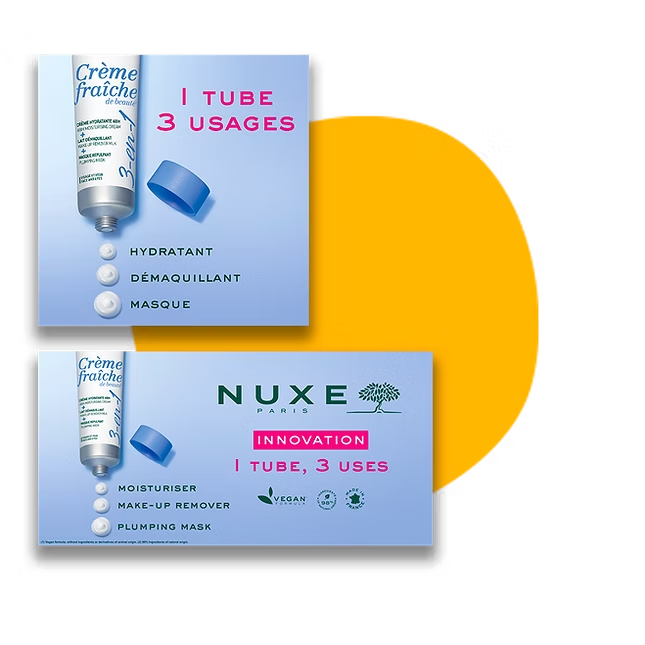
Nuxe uses Brandeploy to localise its marketing kits in 60 countries, with local teams adapting the creatives themselves. The MCP server relies on these same templates and the same per-market rights. Read the Nuxe case.
FAQ
What is an MCP server?
It is a service that makes a piece of software's actions available to an AI assistant. It follows the Model Context Protocol, an open standard. The assistant can then act in the software when you ask it to.
Which AI assistant can use the Brandeploy MCP server?
The Brandeploy MCP server has been tested with Claude. The assistant must be authorised by the user through OAuth before any action.
Can Claude change my brand guidelines or templates?
No. Claude creates creatives from your templates. Locked layers remain protected, and the assistant only has the rights of the user who authorised it.
How do I remove Claude's access?
Open “Connected applications” in Brandeploy and revoke the authorisation. From that moment, the assistant can no longer act on your account.
Do creatives made by Claude go through approval?
Yes. They are saved in your projects and folders like any creative. Your review and approval statuses apply before release.
See Claude create from your own Brandeploy templates: book a demo.