
AI for social media: create on-brand visuals, carousels and videos
Brandeploy produces your posts, stories, carousels and short videos from locked templates, then adapts them by format, language and market.
Book a demoBrandeploy is a creative automation platform that uses AI to produce social media visuals that follow your brand guidelines. You describe what you want to create, and an agent assembles the creative from your Social templates. You then adapt it to square, story, portrait or landscape. Visuals are translated into more than 80 languages, approved by your teams and exported as image, MP4 video or GIF.
These brands and agencies trust us








Social templates: posts, stories, carousels and short videos
Your templates are organised by category, including a Social category. Each template separates locked layers, such as the logo or typography, from editable fields. Teams change the text, image or video without touching the layout. You combine the Brandeploy template library with your own brand templates.
- Still image posts and product visuals
- Stories in vertical 1080x1920 format
- Multi-slide carousels and albums
- Short videos built sequence by sequence
- Named fields: text, image, video, Lottie animation, sound
AI creation with Magic Create
With Magic Create, you write in natural language what you want to get. An agent orchestrates the creation from your templates and brand guidelines. The request history stays available. AI agents and skills are configured per brand.
- Natural-language request: “Tell me what you want to create”
- Creation inspired by an existing template
- On-brand visual generation
- Automatic background removal on product visuals
- Credit-based usage
Automatic social format adaptation
Each creative has a master and synchronised sizes. A change to the master is applied to every size. You then adjust each size if the framing requires it. No more redoing a visual for each network.
- Square 1080x1080 for the Instagram and Facebook feed
- Portrait 1080x1350 for vertical posts
- Story 1080x1920 for stories and vertical formats
- 1200x627 for link visuals
- Videos in 1:1, 9:16, 16:9 and 4:5
LinkedIn and Instagram carousels
A carousel is a multi-slide creative type. You add sequences to the template, each with its own text and image fields. The brand guidelines apply to every slide. The same carousel can then be adapted to square or portrait.
- Slides added as needed
- Identical layout from one slide to the next
- Texts and images editable slide by slide
- Export as ready-to-post images or as PDF
Translation and market versions
Brandeploy automatically translates visuals and videos into more than 80 languages. Each project is organised into markets, for example master, France, Italy or United Kingdom. An availability workflow shows which creatives are ready for each market. Local teams adapt their posts without stepping outside the brand framework.
- Translation of texts embedded in visuals
- Market versions from a master
- Creative availability managed market by market
- Users and rights defined per brand
Approval before posting
Social creatives go through the same review stages as your other content. Reviewers comment directly on the creative. Statuses and due dates are configurable. Each user receives rights to create, comment or edit.
- Comments on each creative
- Configurable review and approval statuses
- Due dates per creative
- Exports as image, MP4 video and GIF once approved
How it works
- 1You choose a Social template from your library or describe your need in Magic Create.
- 2You fill in the editable fields: text, image, video or sound. Locked layers protect the brand guidelines.
- 3You add the sizes you need, such as square, portrait and story. They stay synchronised with the master.
- 4You run the translation and prepare each market's versions.
- 5Your reviewers comment and approve, then you export as image, MP4 or GIF.
Customer proof
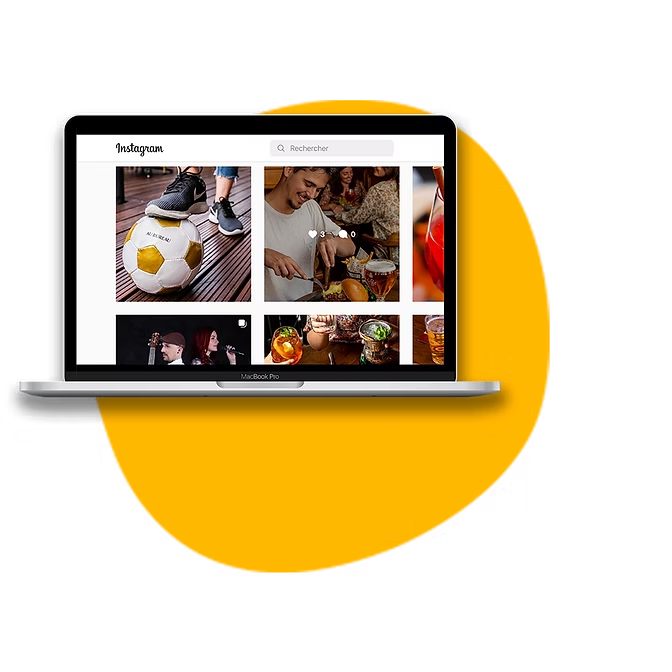
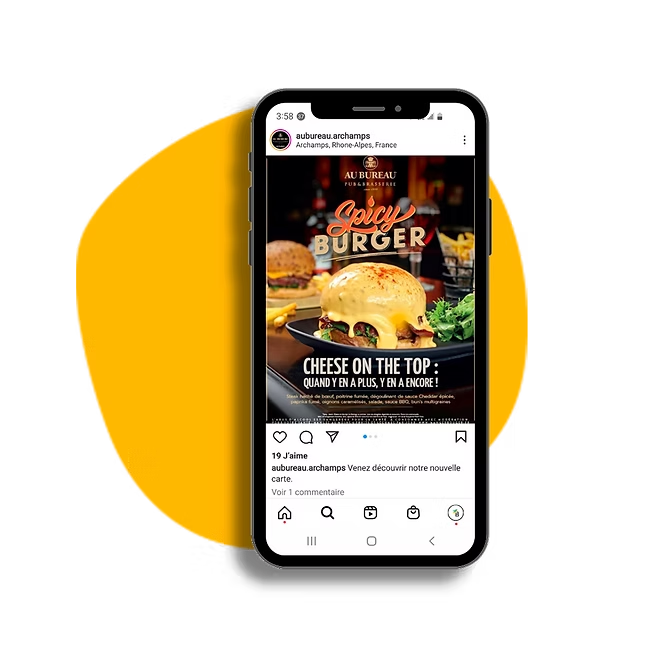
Au Bureau uses Brandeploy for its franchises' local social media posts. Franchisees create their posts from predefined templates that follow the brand guidelines. Discover the customer case: Au Bureau.
FAQ
How does Brandeploy's AI help create social media visuals?
You describe the visual you want in natural language in Magic Create. An agent assembles the creative from your templates and brand guidelines. You can also generate on-brand visuals and remove the background from your product photos.
Can I create carousels for LinkedIn and Instagram?
Yes. A carousel is a multi-slide creative type. You add sequences to the template and each slide keeps the brand layout. The carousel can then be adapted to the formats you need.
Which social media formats are available?
Preset formats include square 1080x1080, portrait 1080x1350, story 1080x1920 and 1200x627. Videos are adapted to 1:1, 9:16, 16:9 and 4:5. You can add other sizes to a creative.
Can my local teams adapt visuals without breaking the brand guidelines?
Yes. Templates lock brand elements such as the logo, colours and typography. Local teams only edit the open fields. Their rights are set per user and per market.
Can visuals be translated for several countries?
Yes. Brandeploy automatically translates visuals, videos and banners into more than 80 languages. Each market has its own versions, with an availability workflow per market.
See how to produce on-brand social visuals in every format and every language: book a demo.