Web-to-print software: definition, use cases and selection criteria
Web-to-print software: definition, the difference between solutions for printers and for brands, key features and criteria to choose the right tool for a network of locations.

Jean-Baptiste DuquesneSEO, GEO & content operations · Published 14 November 2026
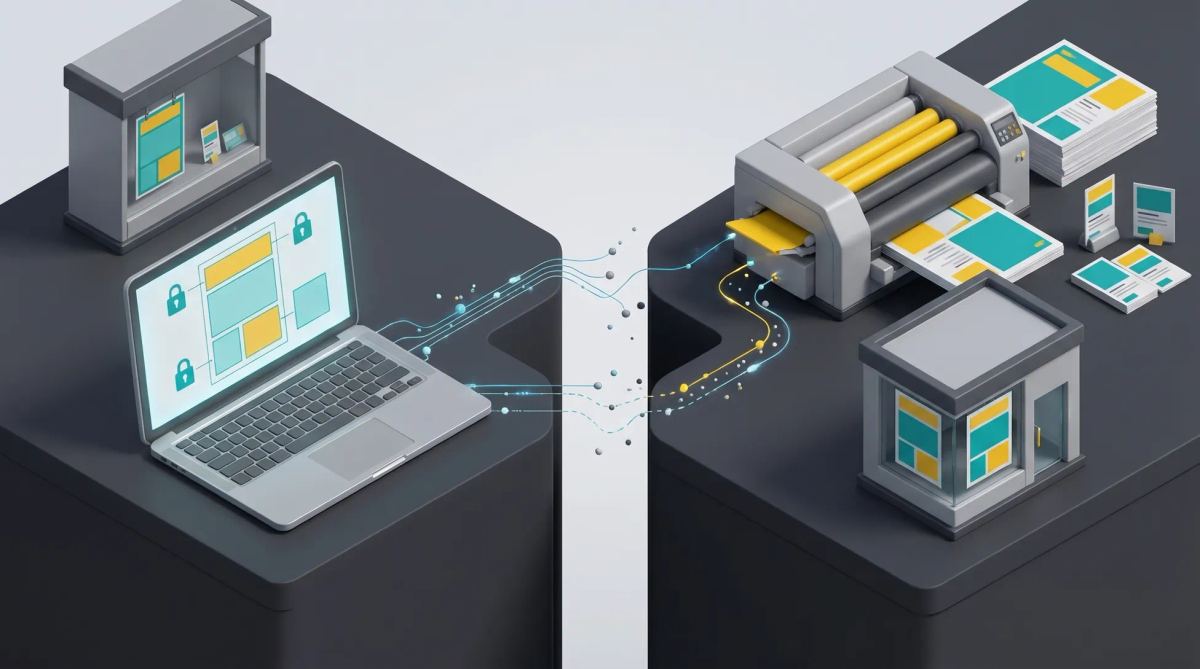
In short: web-to-print software lets you create or personalize a printable document online from a template, then order it or export it ready to print. The term covers two worlds: solutions for printers (storefront, quotes, ordering, payment) and solutions for brands (locked templates, brand guidelines, permissions for local users, approval). Choose based on who creates, which materials, and whether you need built-in ordering or a simple export.
What is web-to-print software?
Web-to-print was born in the printing industry: it let a printer's customers personalize a template online (business card, flyer, poster) and order without back-and-forth. Brands then adopted the idea for their networks: headquarters provides templates, stores, agencies or franchisees personalize them, and the file goes to print.
Two families: solutions for printers and solutions for brands
| Family | Main user | Key functions | Example vendors |
|---|---|---|---|
| Solutions for printers | The printer and its customers | Online storefront, quotes, ordering, payment, sending to production | OnPrintShop, Pressero, Pageflex, XMPie, Customer's Canvas |
| Solutions for brands | Headquarters and the local network | Locked templates, brand guidelines, permissions by location, approval, export or ordering | Marq, Papirfly, CHILI GraFx, creative automation platforms |
Within the brand family, features vary. Marq, for example, locks colors, fonts and logos, feeds templates with data from CSV or Google Sheets and lets users order printing from the platform. Papirfly offers print, social, video, email and banner templates, with locked or editable elements. See our analyses of Papirfly, Marq and CHILI publish.
Typical brand use cases
- In-store promotional posters: locked: logo, layout, legal mentions; editable: price, product, dates.
- Point-of-sale materials: locked: brand guidelines; editable: local offer.
- Local flyers: editable: address, opening hours, map, event.
- Business cards: editable: name, job title, contact details.
- Local press ads: editable: offer and location details.
- Trade show kits: roll-up banners, brochures, badges.
See also upholding brand guidelines at scale.
Key features to require
- Templates with locked and editable zones, defined field by field.
- Handling of print constraints: format, resolution, bleed, color profile; check what each vendor actually supports.
- Variable data: importing a spreadsheet to generate a series of documents.
- An up-to-date asset library.
- Permissions by role and location.
- An approval workflow before printing. See our article on online proofing software.
- Output: export of a print-ready file or direct sending to a printer.
- Print and digital versions from the same template.
For the template logic, see our article on template management systems.
Web-to-print, DAM, creative automation: what sets them apart
A DAM stores and distributes files. Web-to-print personalizes a printable material. Creative automation adapts a campaign to every channel, print and digital. Brands increasingly look for a single tool for both, because the same promotion has to exist as a poster, a post and a banner, with the same price and the same legal mentions.
How to choose: 7 questions
- Who creates? Headquarters, stores, partners?
- Which materials? Print only, or print and digital?
- Built-in ordering or export? Do you need to order printing inside the tool, or is a print-ready file enough?
- What level of locking?
- What volume of variations?
- Which integrations? DAM, PIM, printer.
- Is approval mandatory?
Rolling out a print portal across a network: method
- Select the 10 most requested materials.
- Build the templates with the studio.
- Define permissions and approvals.
- Run a pilot with a few locations.
- Measure adoption and enrich the library.
Brandeploy, on the brand side
Brandeploy lets you create print materials, as well as videos, banners and visuals, from templates in your brand colors, with Photoshop file import, permissions by role and approval workflows. Local teams adapt materials without design skills and export them as print-ready PDFs. Brandeploy is not a printer's storefront: ordering and paying for printing happen with your printer. Discover the creative automation platform and brand management, or book a demo.
FAQ
What is web-to-print?
It is the online creation or personalization of a printable document from a template, followed by an order or a print-ready export. Born in the printing industry, it is also used by brands for their networks.
What is the difference between web-to-print and variable data printing?
Web-to-print refers to the online personalization and ordering process. Variable data printing refers to producing a series of documents where some fields change based on a data file. Many web-to-print tools offer both.
Can web-to-print software also handle digital formats?
Some can, especially solutions for brands and creative automation platforms, which adapt the same template into a poster, a post and a banner. Solutions for printers remain focused on print.
How do you ensure brand compliance on materials printed by stores?
Provide locked templates where only some zones are editable, an up-to-date asset library, permissions by location and approval before printing for sensitive materials.
Do you need web-to-print software if you already have a DAM?
Yes if your local teams need to create new materials: a DAM stores finished files but does not let users personalize them within the brand guidelines. The two are complementary.

Written by
Jean-Baptiste Duquesne
SEO, GEO & content operations
Web pioneer since 1995, founder of the recipe site 750g.com (sold to Webedia), now industrialising SEO and GEO content production with AI.
Ready to scale your content production?
Book a demo