Campaign visual adaptation: rolling out one campaign across every format and market
Adapting campaign visuals covers formats, languages, markets and channels. A 6-step method, a quality checklist and how to choose between manual production and automation.

Jean-Baptiste DuquesneSEO, GEO & content operations · Published 14 November 2026
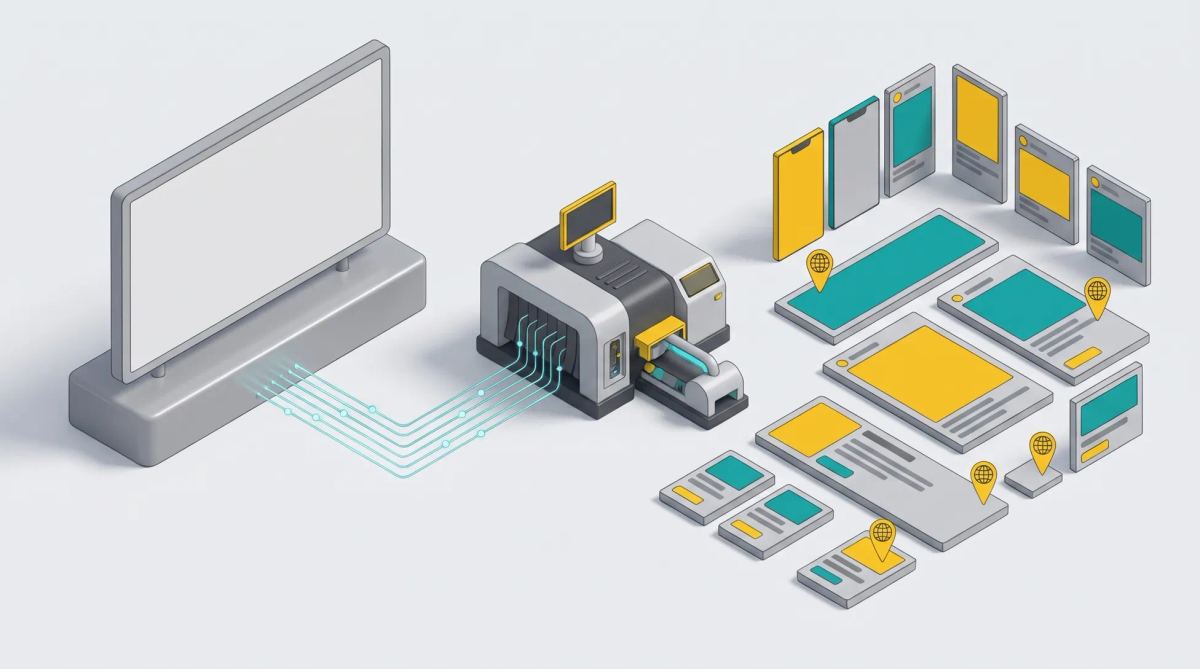
In short: adapting a campaign visual means turning one master creative into every format, channel, language and market the campaign needs, while keeping the idea and the brand guidelines. It is not just resizing: you have to handle text that gets longer, prices and legal mentions by country, the safe zones of each format and approval. A six-step method and well-prepared templates avoid rebuilding every file by hand.
What is campaign visual adaptation?
Visual adaptation means producing, from a key visual, all the versions a campaign needs. Four related notions are often confused:
- Resizing: changing the size and ratio of a visual.
- Adaptation (or versioning): producing every version of the campaign (formats, channels, languages, markets) while keeping the idea and the brand guidelines.
- Localization: changing the content for a context (local price, product, legal mentions).
- Transcreation: rewriting the message for another culture, beyond translation. See translation and adaptation of marketing campaigns.
What needs adapting: formats, channels, languages, markets
Volumes rise fast. A fictional example: one visual adapted into 8 formats, 5 languages and 3 offers gives 120 files to produce and check.
- Social formats: square, vertical, stories, carousels.
- Display: the standard sizes used by ad networks, static or animated.
- Print and point of sale: posters, roll-up banners, flyers.
- Email and website: headers, homepage banners.
Platform specifications change regularly: refer to each ad platform's official help pages rather than a fixed table. For banners, read about multi-format banner creation tools.
Preparing a master that can be adapted
Good adaptation starts when the master is created:
- Safe zones so the logo and message stay visible in every ratio.
- Named layers and text kept separate from the image, so it can be translated.
- A clear hierarchy: what must appear everywhere (logo, offer) and what can disappear on small formats.
- Room for long text: German or French take more space than English.
Ideally, this master becomes a locked template: you fix what never moves (logo, fonts, colors, legal mentions) and define the editable fields. See template management system.
The 6-step method
- Adaptation brief and matrix: the list of formats × markets × languages, with the constraints of each cell. Pitfall: discovering a missing format the day before launch.
- Master and templates: the studio prepares the master and the templates. Pitfall: a master designed for a single ratio.
- Producing the versions: by hand, with a resizing tool or by automatic generation. Pitfall: multiplying source files.
- Translation and local adaptation: text, prices, currencies, legal mentions. Pitfall: translating after layout without planning for longer text.
- Approval: brand, legal, markets. Pitfall: approving by email with no trace. See managing multi-stakeholder content approvals.
- Delivery and archiving: files named and stored in the DAM. Pitfall: no longer finding the final version.
Adapt by hand or automate?
| Approach | Suitable volume | Turnaround | Error risk | Brand compliance | Setup |
|---|---|---|---|---|---|
| Manual production (studio or agency) | Low | Long | High at large volumes | Good if the studio is rigorous | None |
| Simple resizing tool | Medium | Medium | Medium: layouts need rework | Variable | Low |
| Creative automation platform | High | Short | Low: the rules are in the template | Guaranteed by locking | Building the templates |
A published example: Bayard produces a batch of 55 banners every month from dynamic templates, and reports 80% time saved and 75% lower costs (Bayard case study). See also multi-format creative adaptation platform.
Quality checklist before launch
- Text stays readable on small formats.
- Logo and safe zones are respected in every ratio.
- Legal mentions are correct for each country.
- Prices, currencies and dates are right.
- Translations are proofread and do not overflow.
- File weight meets ad platform requirements.
- Naming is consistent and the approved version is identified.
Common mistakes
- Translating after layout without planning for longer text.
- Multiplying source files instead of starting from one template.
- Approving by email, without knowing who approved what.
- Forgetting print and point-of-sale versions.
- Not archiving final versions.
Brandeploy: adapt your campaigns without leaving the brand guidelines
Brandeploy adapts visuals, banners and videos from templates locked to your brand guidelines, translates and localizes creatives into more than 80 languages, routes every version through an approval workflow and stores final files in the DAM. Discover the creative automation platform or book a demo.
FAQ
What is the difference between adapting and localizing a visual?
Adaptation produces every version of a campaign (formats, channels, languages, markets) while keeping the idea and the brand guidelines. Localization changes the content for a specific context, such as a local price or a legal mention. Adaptation often includes localization.
How many formats should you plan for a digital campaign?
It depends on the channels: at least square and vertical formats for social networks, the display sizes used by your ad networks, and email and website headers. Start from your media plan and check each platform's help pages.
Can you automate visual adaptation with AI?
Yes. A creative automation platform generates formats and languages from a template, and AI helps translate, crop or suggest variations. Human approval remains necessary for prices, legal mentions and tone.
How do you adapt a campaign into several languages without breaking the layout?
Leave room for long text, keep text and images separate in the master, and translate directly inside the template with automatic text sizing. Have each language proofread before launch.
Which tool should you use to adapt a campaign into many formats?
For small volumes, a studio or a resizing tool is enough. For dozens of formats, languages and markets, a creative automation platform with locked templates, translation and approval, such as Brandeploy, saves the most time.

Written by
Jean-Baptiste Duquesne
SEO, GEO & content operations
Web pioneer since 1995, founder of the recipe site 750g.com (sold to Webedia), now industrialising SEO and GEO content production with AI.
Ready to scale your content production?
Book a demo