
Brand portal: your guidelines, media and templates in one place
Brandeploy brings your brand kit and locked, on-brand templates together, so your teams and agencies create without stepping outside the framework.
Book a demoA brand portal centralises a brand's guidelines, logos, fonts and media for every team that uses them. Brandeploy goes further than a file repository. The guidelines feed locked templates, which your local teams and agencies use to create directly. The portal manages several brands under one group, with inherited settings and per-user rights.
These brands and agencies trust us



Brand guidelines: colours, fonts, logos and assets
The guidelines are set up once in the brand. They bring together colours, fonts and logos, as well as graphic assets. Templates draw on these elements. A team can therefore only choose from the authorised colours and fonts.
- Brand colours and fonts
- Logos and icons
- Masks, buttons and illustrations
- Sounds, Lottie animations and GIFs
Media library with tags and metadata
The media library gathers the brand's images, videos and other media. Each item carries tags and metadata. Teams find the right visual by searching, then use it directly in a creative. Media produced is added as projects go along.
- Images, videos, animations and sounds
- Tags to classify media
- Metadata attached to each file
- Media usable directly in templates
Locked templates for local teams and agencies
Templates make the brand kit operational. Each template sets the locked layers, such as the logo and layout, and opens editable fields. Local teams and agencies change the text, image or video. The result stays on brand.
- Locked or editable layers
- Named fields: text, image, video, Lottie animation, sound
- Categories: Display, Social, E-commerce, SEO/Text, Briefs
- Brandeploy library and the brand's own templates
Multi-brand and inherited settings
A group can manage several brands in Brandeploy. Settings defined at group level are inherited by each brand. Each brand then keeps its own guidelines, users and markets. You avoid configuring every brand from scratch.
- Several brands under one group
- Inheritance of group settings
- Guidelines specific to each brand
- Users and markets defined per brand
Rights per user and per market
Each user receives rights to create, comment or edit. Users are attached to a brand and its markets, for example France, Italy or United Kingdom. An agency sees the brand it works for. A local team works on its market's creatives.
- Create, comment, edit rights
- Access per brand
- Access per market
- Creative availability per market
Brand portal vs DAM: what is the difference?
A DAM stores, classifies and distributes a company's files. A brand portal like Brandeploy is used to create with those files, in line with the brand guidelines. The two complement each other. Brandeploy connects to your DAM and synchronises its metadata.
- The DAM remains the reference library
- Brandeploy uses its media in templates
- DAM metadata synchronisation
- API, PIM and CMS connections also available
How it works
- 1You set up the brand: colours, fonts, logos and graphic assets.
- 2You import your media into the media library or connect your DAM, with tags and metadata.
- 3You create your templates, locking the guideline elements and naming the editable fields.
- 4You invite local teams and agencies, with their rights per brand and per market.
- 5Teams create, translate and adapt their content from the templates.
Customer proof
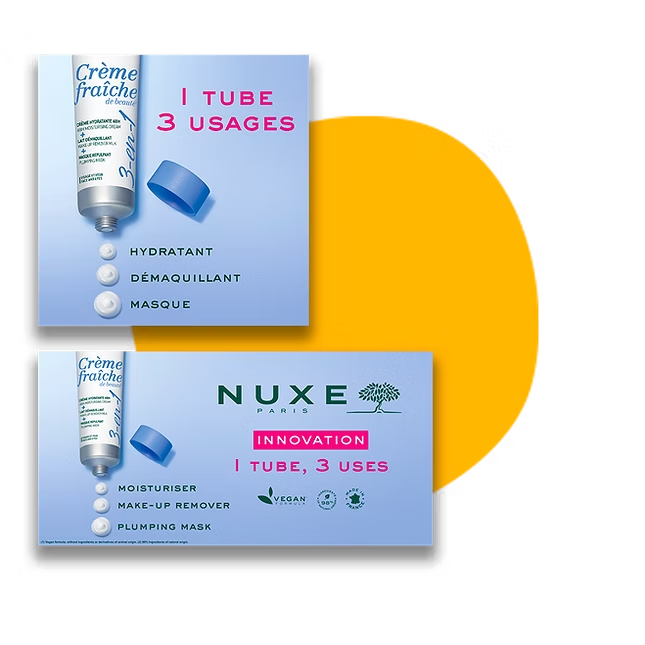
Nuxe uses Brandeploy to localise its marketing kits in 60 countries. Local teams adapt campaign content themselves, without design skills, from the elements provided by headquarters. Discover the customer case: Nuxe.
FAQ
What is a brand portal?
A brand portal is an online space that centralises a brand's guidelines and assets. It gives every team the right logos, fonts, colours and media. In Brandeploy, it also gives access to locked templates to create directly.
What is the difference between a brand portal and a DAM?
The DAM stores and organises the company's files. Brandeploy is used to produce creatives with those files, from on-brand templates. Brandeploy connects to your DAM and synchronises its metadata.
What does a brand kit contain in Brandeploy?
It contains the brand's colours, fonts, logos and icons. Masks, buttons, illustrations, sounds, Lottie animations and GIFs are added to it. The media library completes the kit with your tagged images and videos.
Can I manage several brands?
Yes. Several brands can be managed under one group, with inherited settings. Each brand keeps its guidelines, users and markets.
How do I stop an agency from changing the logo?
The logo sits on a locked layer of the template. The agency only edits the open fields, such as the text or image. Its rights are also set per user: create, comment or edit.
See how to turn your brand guidelines into templates every team can use: book a demo.