How to collaborate on HTML5 banners as a team
Efficiency and Scale: Mastering Team Collaboration for HTML5 Banners In digital advertising, the ability to collaborate on HTML5 banner creation in teams has become a practical necessity. As brands expand across global markets, the volume…

Jean-Baptiste DuquesneSEO, GEO & content operations · Published 23 June 2026 · Updated 16 October 2026
Efficiency and Scale: Mastering Team Collaboration for HTML5 Banners
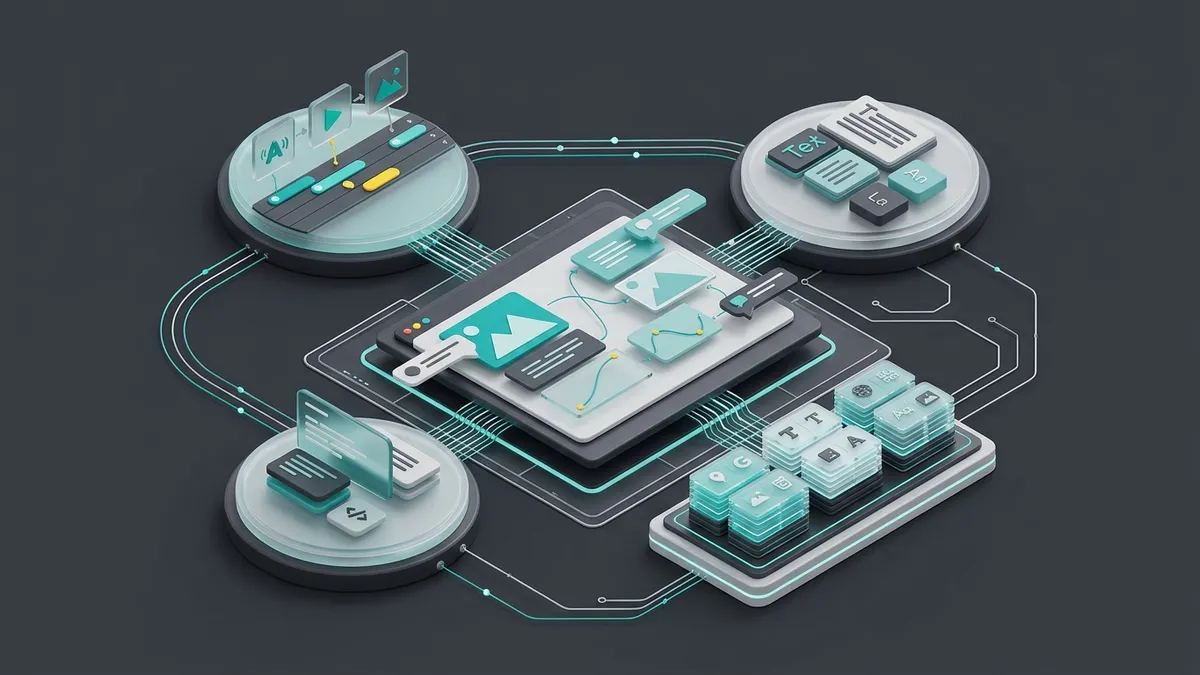
In digital advertising, the ability to collaborate on HTML5 banner creation in teams has become a practical necessity. As brands expand across global markets, the volume of creative assets required grows quickly. Traditional workflows based on local files and long email chains no longer keep up. Modern marketing teams need centralized, cloud-based environments where designers, copywriters, and managers can work together to produce display ads at scale.
What is Collaborative HTML5 Banner Creation?
Collaborative HTML5 banner creation is a synchronized workflow where multiple stakeholders use a shared digital platform to design, iterate, and approve interactive display advertisements. Unlike static images, HTML5 banners involve code, animation, and responsive elements, making them technically complex. A collaborative approach ensures that distributed teams can access a "single source of truth," allowing for real-time edits, instant feedback, and shared access to assets. This ecosystem eliminates the friction typically found between the creative development stage and the final campaign deployment.
Why Team Collaboration is Critical for Modern Campaigns
The complexity of modern ad tech demands specialized roles. A single campaign might require a motion designer for animations, a copywriter for localized slogans, and a brand manager for compliance. When these professionals work together on HTML5 banners in one shared tool, they mitigate the risk of brand inconsistency. Without a shared tool, teams often suffer from versioning errors, where an outdated logo or an incorrect discount code makes it into the live environment. This shared workflow is also the basis for mastering HTML5 banner personalization, as it allows teams to tailor content for diverse audiences without losing brand integrity.
Streamlining the Approval Loop
One of the biggest bottlenecks in creative production is the approval process. Collaborative tools allow stakeholders to leave comments directly on the timeline or the canvas of the HTML5 banner. This is much like how teams use a CMS (content management system) to manage website content, providing a structured environment where feedback is tracked and actionable. Centralizing this dialogue speeds up the "time-to-market" for urgent seasonal promotions.
Scalability through Shared Assets
When teams work in silos, they often recreate the same assets. Collaborative platforms provide shared libraries where high-resolution logos, fonts, and brand-approved visuals can be stored and reused. To find the right infrastructure for your workflow, you should evaluate the best HTML5 banner creation tools currently available on the market. This modularity is essential for maintaining a high standard of quality across hundreds of ad variants.
How Collaborative HTML5 Workflows Function
Successful collaboration relies on a structured sequence of actions. It begins with the creation of a master template, which serves as the blueprint for all other sizes and versions. By using a platform optimized for teamwork, the primary designer can set "locked" elements, such as brand colors or logo placement, while allowing copywriters to edit text fields.
Next, automation takes over the repetitive work. For instance, once the master banner is approved, the tool can automatically generate dozens of alternative dimensions. This is far more efficient than the manual "save as" process of the past and is a key step when learning how to generate multi-format HTML5 banners for global distribution. To explore this further, you can learn how to automate HTML5 banners without needing any technical or coding expertise.
Finally, the review phase occurs within the same interface. Managers can preview the banners on various device emulators (mobile, tablet, desktop) to ensure the HTML5 code is responsive and bug-free. This level of technical oversight is crucial before the banners are exported to ad servers.
Concrete Use Cases for Distributed Creative Teams
Consider a global retail brand launching a Black Friday event. The core creative team in London designs the master HTML5 assets. Simultaneously, local marketing managers in Tokyo and Paris access the same project to input localized translations. Because everyone works in the same project, the London team can see these changes in real-time, ensuring that the layouts remain intact despite the varying character lengths of different languages.
Another example involves the use of generative AI. Creative teams can use a generative AI assistant to brainstorm slogans directly within a collaborative workspace, immediately testing how the text fits within the banner's visual constraints. This creates a bridge between data-driven insights and creative execution.
Common Pitfalls and Best Practices
One common mistake is failing to define user roles. Not everyone needs "edit" access to the animation timeline. Best practices suggest assigning specific permissions: viewers, editors, and admins. This prevents accidental deletions and protects the more complex interactive banners from unwanted changes.
Another error is neglecting the importance of a clear naming convention. When hundreds of files are generated, a structured naming system is the only way to ensure the right banner reaches the right ad group. Integrating your banner tool with other productivity apps, such as email or chat notifications for approval requests, can keep the team informed without cluttering the workspace.
Finally, leverage technology for the heavy lifting. Instead of manually checking every link, use automated QA tools within your collaborative platform. This ensures that even as you add animations or complex scripts, the final output remains optimized for performance. To ensure a smooth user experience, teams should also understand how to optimize HTML5 banner weight for faster loading speeds across all publisher networks.
About Brandeploy
Brandeploy is a creative automation and brand management platform designed for marketing and creative departments. By providing a centralized workspace, it allows teams to work together on the same HTML5 banner projects. The platform simplifies the production of high-volume digital assets, ensuring that every banner, social post, or video stays aligned with brand guidelines. Its templates and automation features reduce the technical work involved in scaling creative production, which suits enterprises managing complex global campaigns. Book a demo of the Brandeploy platform to see it in action.
FAQ
How can remote teams collaborate on HTML5 banners?
By working from a shared cloud platform rather than local files: one master template, role-based permissions, a shared asset library and comments placed directly on the banner. Everyone works on the current version, so no conflicting copies circulate by email.
What are the benefits of a collaborative banner creation tool?
Fewer email round trips, fewer versioning errors and faster approvals, because feedback is attached to the design itself. The gain is largest on campaigns where many sizes and language versions have to be produced and checked in a short time.
Which features matter in a team-based HTML5 banner tool?
Multi-user editing, locked template elements, automatic resizing to standard ad formats, built-in commenting and approval, a central library of brand assets, and export to the ad servers you use.
How do you avoid version errors when several people edit the same banner?
Keep a single master template, lock brand elements such as the logo, colours and legal mentions, give edit rights only to the people who need them and use a clear naming convention. The approval status should be visible in the tool so that nobody exports an unapproved version.
Who should approve an HTML5 banner before it goes live?
Usually the brand manager for visual compliance, the campaign or media manager for formats and specifications, and the legal team when the banner shows prices, promotions or regulated claims. The final review should also check file weight and display on mobile, tablet and desktop.

Written by
Jean-Baptiste Duquesne
SEO, GEO & content operations
Web pioneer since 1995, founder of the recipe site 750g.com (sold to Webedia), now industrialising SEO and GEO content production with AI.
Ready to scale your content production?
Book a demo