Brand kit: what to include and how to enforce it across teams and tools
What a brand kit should include, why kits fail in practice, and how to enforce one across teams and tools with locked templates, permissions and approvals.

Jean-Baptiste DuquesneSEO, GEO & content operations · Published 25 October 2026 · Updated 13 November 2026
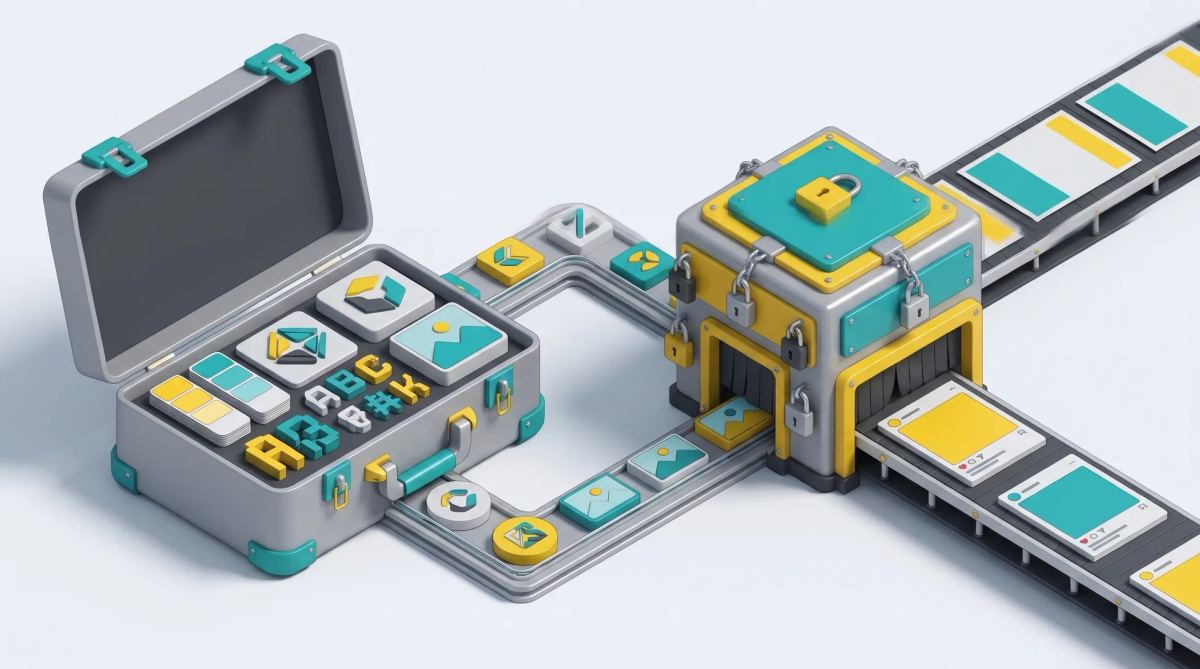
In short: a brand kit is the ready-to-use set of a brand's identity elements (logos, colors, fonts, visuals, templates, tone) made available to everyone who creates content. It only works if it is applied. A kit stored as a PDF or in a shared folder does not prevent drift; a kit built into locked templates, with one up-to-date asset library, role-based permissions and approval, does.
What is a brand kit?
A brand kit is the operational part of your identity: the files and settings people use when they create a post, a presentation or a banner. It is related to, but different from, brand guidelines and a brand portal.
| Brand kit | Brand guidelines | Brand portal | |
|---|---|---|---|
| Content | Logos, colors, fonts, templates, visuals | Rules, rationale, do's and don'ts | Access point to guidelines and approved assets |
| Use | Creating content | Understanding the brand | Finding and sharing |
| Audience | Everyone who creates | Brand, agencies, studios | Employees, partners, press |
Read more in brand portal: what it is and how it differs from a DAM.
What to include in a brand kit (checklist)
- Logos and variants: horizontal, vertical, monochrome, small sizes, with clear space rules.
- Color palette: HEX and RGB for screens, CMYK and spot colors for print.
- Typography: fonts, hierarchy (titles, body, captions), fallback fonts.
- Iconography and photo style: icon set, examples of approved photography.
- Templates: social posts, presentations, banners, print materials.
- Tone and voice: key principles, examples, words to avoid.
- Legal mentions: trademark notices, mandatory mentions by market.
- Do's and don'ts: visual examples of correct and incorrect use.
Brand kit examples by organization type
- Multi-country brand: one kit with language versions of templates and market-specific legal mentions.
- Franchise network: a kit focused on local templates where franchisees edit address, offer and photo only.
- Multi-brand group: one kit per brand, with shared corporate rules and permissions by brand.
Why brand kits fail in practice
A kit that lives in a PDF or a shared folder does not stop mistakes. Old logo versions keep circulating, colors are picked by eye, missing fonts are replaced, templates are modified locally and re-shared. The more people create content, the faster the drift. See upholding brand guidelines at scale.
How to enforce a brand kit across teams and tools
- Locked templates: the studio decides which fields can be edited; logo, colors and fonts cannot be changed. See template management system.
- One up-to-date asset library: a DAM where outdated assets are withdrawn everywhere at once.
- Permissions by role and market: each user sees the kit and templates that apply to them.
- Approval before distribution: for sensitive materials, a validation step that leaves a trace.
Read more on brand guidelines tools.
Brand kit features in design tools: what to compare
Many tools offer a "brand kit" feature, but it ranges from a color shortcut to real enforcement. Canva, for example, offers Brand Kits on its paid team plans, with up to 100 on Business and unlimited on Enterprise according to Canva.
| Criterion | Brand kit in a general design tool | Brand management or creative automation platform |
|---|---|---|
| Element locking | Often partial | Field by field |
| Multi-brand | Several kits | Kits, templates and permissions per brand |
| User permissions | Team level | Brand, market, project and content level |
| Approval | Available on some plans | Configurable workflows |
| Updates propagated to templates | Variable | Built into the template system |
| Translation | Editor features | Translation inside templates, at scale |
Read Canva for business and our Canva alternatives.
Keeping your brand kit up to date
- Name an owner for the kit.
- Version every change and keep a change log.
- Announce updates to users.
- Withdraw old versions everywhere.
- Review the kit at least once a year.
Brandeploy: from brand kit to applied rules
Brandeploy turns the brand kit into applied rules: the creative team builds templates locked to the brand guidelines in the editor, teams produce visual and banner variations, translate creatives, go through approval workflows, and assets are centralized in the DAM. Learn more about the Brandeploy editor and creative automation, or book a demo.
FAQ
What is the difference between a brand kit and brand guidelines?
Brand guidelines explain the rules and their rationale. A brand kit is the ready-to-use set of elements (logos, colors, fonts, templates) people use to apply those rules when creating content.
What should a small business include in its brand kit?
At minimum: logo variants, color codes, fonts, a few templates for the most common materials, and two or three tone of voice principles. Add more as the team grows.
Which file formats should a brand kit contain?
Vector logos (SVG, EPS or PDF) and PNG versions, font files or links, color codes for screen and print, and templates in the formats of the tools your teams use.
Can you lock a brand kit so teams cannot change colors or logos?
Yes, with locked templates. The studio defines which fields are editable, and logos, colors and fonts stay fixed. The depth of locking varies by tool, so test it before choosing.
How often should a brand kit be updated?
Whenever the identity changes, and at least once a year to remove outdated assets, add new templates and check that the kit still matches how teams work.

Written by
Jean-Baptiste Duquesne
SEO, GEO & content operations
Web pioneer since 1995, founder of the recipe site 750g.com (sold to Webedia), now industrialising SEO and GEO content production with AI.
Ready to scale your content production?
Book a demo