Design tool for non-designers: producing on-brand visuals without design skills
How to choose a design tool for non-designers that keeps every visual on brand: three families of tools, must-have features, the role of AI and how to roll it out.

Jean-Baptiste DuquesneSEO, GEO & content operations · Published 25 October 2026 · Updated 13 November 2026
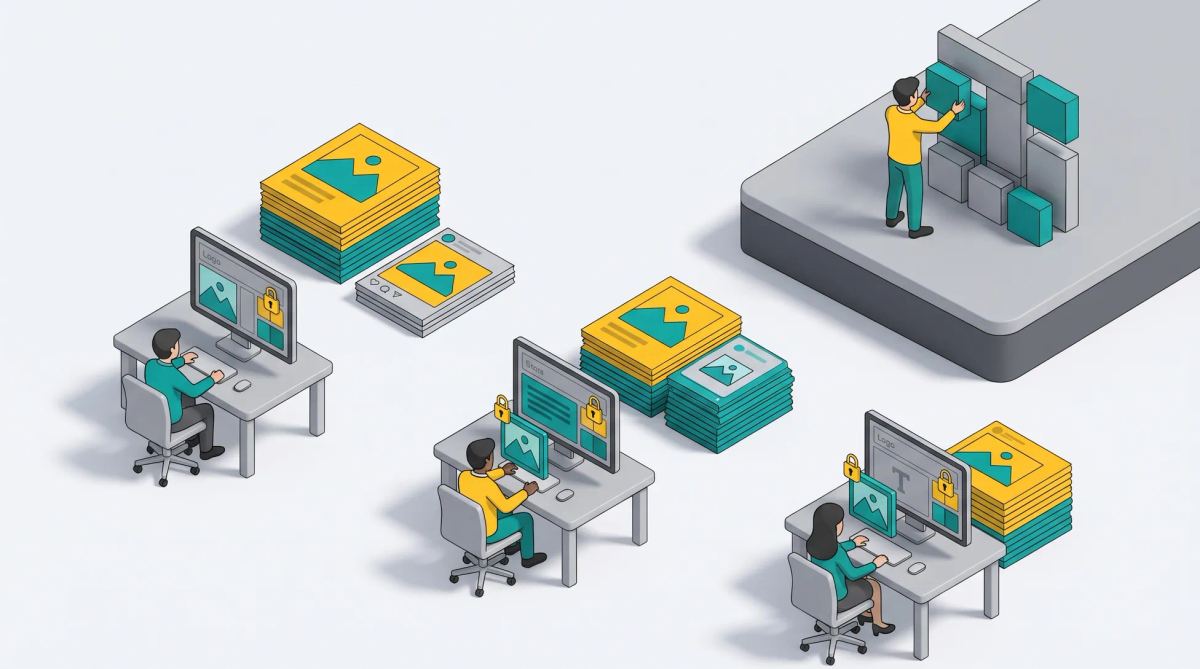
In short: non-designers in a company need to start from ready-made templates, change only the text and image, and export the right format without thinking about layout. Ease of use is not enough: for a brand, the right tool is the one that makes it impossible to go off brand. Three families of tools answer this need, from general online editors to platforms with locked templates and approval.
What non-designers actually need from a design tool
A local marketer, a sales rep, a store manager or an HR team does not want a blank canvas. They need to:
- start from a template that already looks right;
- change only the text, the photo or the offer;
- export the right format for the channel;
- get it done in minutes.
Typical needs: a local social post, a store poster, a promotional banner, a sales presentation, a job ad visual.
The risk: off-brand content at scale
More autonomy without guardrails means more drift: stretched logos, approximate colors, substitute fonts, missing legal mentions. When dozens or hundreds of people create content, these small differences add up and the brand loses consistency. Read brand guidelines tool: designing within your brand rules.
Three types of design tools for non-designers
| Type | Examples | Strengths | Limits for the brand | Best for |
|---|---|---|---|---|
| General online editors | Free and entry-level online design tools | Very easy, large template libraries | Few guardrails, generic templates | Individuals and small teams |
| Editors with brand features | Canva team plans, Marq | Brand kits, team templates, some locking and approval | Locking and permissions vary by plan and tool | Growing teams with a defined brand |
| Locked-template and creative automation platforms | Brandeploy and similar platforms | Field-level locking, multi-format variations, translation, approval | Templates must be built first by the studio | Brands with many non-designer users or markets |
Read more: online graphic design software, best free design tools, Canva alternatives and Marq.
Must-have features for on-brand self-service design
- Locked templates: the studio defines the editable zones.
- Enforced brand kit: colors, fonts and logos cannot be changed.
- Approved asset library: only validated images and logos.
- Automatic multi-format variations: one creation, every size.
- Translation inside the template.
- Permissions by role, brand and market.
- Approval workflow for sensitive materials.
- History of what was created, by whom.
Where AI helps non-designers (and where it does not)
AI helps generate variations, adapt formats, suggest copy and remove image backgrounds. It does not guarantee brand compliance on its own: a generated image can drift from the brand style, and a suggested headline can make a claim the legal team would refuse. That is why AI works best inside templates and approval workflows. Read about tools to create marketing and ad visuals.
How to choose: questions to ask before buying
- Who creates the templates, and how long does it take?
- What exactly can users change, field by field?
- How are several brands or countries managed?
- Who approves, and can approval be required for some templates only?
- How are template updates rolled out to all users?
- Which formats can be exported, for print and digital?
- Which DAM and other integrations are available?
- How long does it take a new user to create a first piece?
Rolling it out to non-design teams
- Start with 5 to 10 templates for the most frequent requests.
- Train users in a short session, around 30 minutes.
- Name a brand referent people can ask.
- Track usage and enrich the template library over time.
Brandeploy for non-designer teams
With the Brandeploy editor, designers build templates locked to the brand guidelines, and non-designer teams produce variations by format, language and market, with approval workflows and assets centralized in the DAM. Learn more about the Brandeploy editor and creative automation, or book a demo.
FAQ
What is the easiest design tool for non-designers in a company?
The easiest is one where non-designers start from ready-made templates and only change text and images. For a company, choose a tool that also locks brand elements so ease of use does not create off-brand content.
Is Canva enough to keep a large brand consistent?
Canva's team plans offer brand kits, templates and approvals, which helps. Large organizations with many markets often also need field-level locking, permissions by market, translation at scale and multi-format variations, which dedicated platforms provide.
What is a locked template?
A template where the studio decides which elements are fixed, such as logo, colors and fonts, and which fields users can edit, such as text, photo or price.
Can non-designers create print materials as well as digital visuals?
Yes, if the tool exports print-ready files. With Brandeploy, the same templates produce digital formats and print materials exported as PDF.
How do you stop non-designers from creating off-brand content?
Give them locked templates, a single library of approved assets, permissions by role and market, and an approval step for sensitive materials.

Written by
Jean-Baptiste Duquesne
SEO, GEO & content operations
Web pioneer since 1995, founder of the recipe site 750g.com (sold to Webedia), now industrialising SEO and GEO content production with AI.
Ready to scale your content production?
Book a demo