
Creative automation for retail: promo, catalog and store visuals at scale
Retail runs three content streams at different speeds: promotions, product content and store visuals. How creative automation handles each one, with the BHV case.

Jean-Baptiste DuquesneSEO, GEO & content operations · Published 25 October 2026 · Updated 13 November 2026
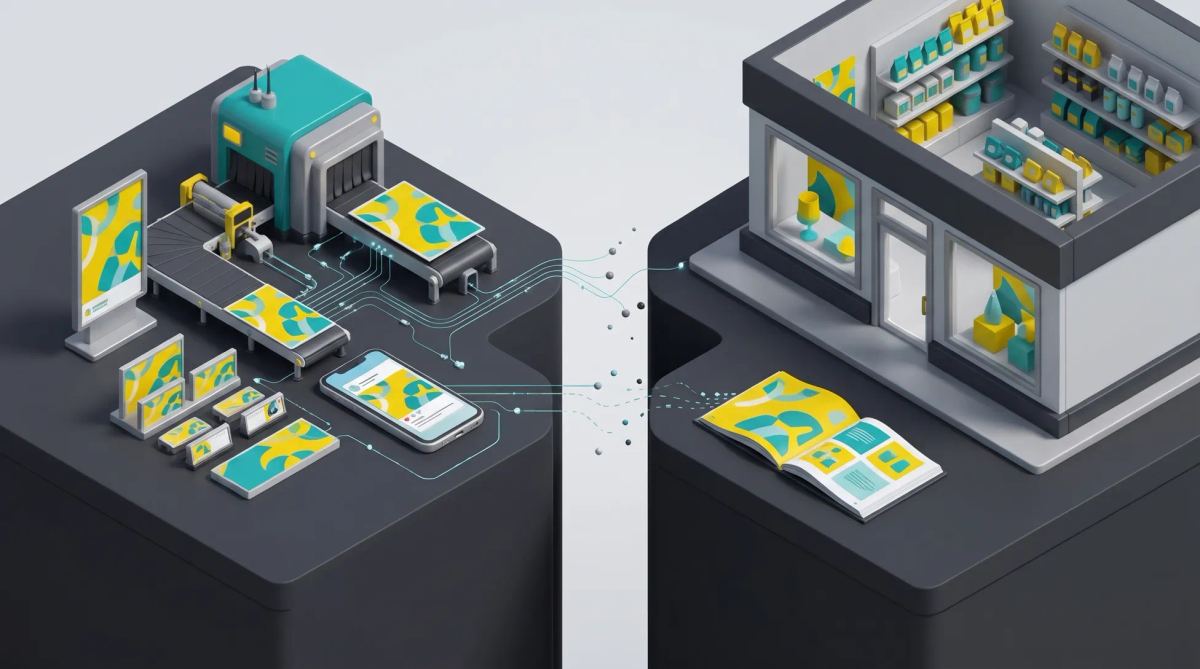
In short: creative automation lets retail teams generate promotional, catalog and store visuals from brand-locked templates and product data, in every format and language, instead of rebuilding each file. It pays off where volume, prices and local variations collide: weekly promotions, thousands of products and store networks.
What creative automation means for retail
A retailer does not produce one campaign at a time. It runs three content streams at different speeds:
- Promotions: weekly or daily offers, with prices, dates and legal mentions that change by market.
- Product and catalog content: product visuals, badges, catalog ads and product pages for hundreds or thousands of items.
- Store and local visuals: posters, shelf talkers, screens and local social posts for each store or region.
Creative automation turns each stream into a repeatable process: a master template defines what stays fixed (logo, layout, typography, legal blocks) and what changes (price, product, date, language, store). For the general definition, read our creative automation guide.
Why retail content is hard to scale
Retail combines every factor that makes content production slow:
- Short cycles: a promotion often has to go live in days, across social, display, e-mail, website and stores at the same time.
- Large catalogs: every product needs visuals in several formats, and prices or availability change often.
- Market differences: currencies, prices, legal mentions and languages vary by country.
- Store formats: posters, shelf labels and in-store screens have their own sizes and constraints.
- Seasonal peaks: sales, Black Friday or back to school multiply volume in a few weeks.
Handled manually, each new price or market means another round with the studio or the agency. That is where time to market slips; see how creative automation shortens time to market.
Use case 1: promotional campaigns
The promo team prepares one master: offer, key visual, price zone, dates and legal block. From that master, the platform produces every format the campaign needs: square and vertical social posts, display banners, e-mail headers, web banners, in-store posters. Price, dates and mentions are filled in per market, and translations are applied inside the template so the layout holds when text gets longer.
The result is one approval of the master, then fast checks of the variations, rather than dozens of separate files to review. Read more on multi-format creative adaptation.
Use case 2: catalog and product visuals
For product content, the template is fed by data: product name, price, image, badge (new, promo, best seller), sometimes availability. A spreadsheet export or a product feed can generate hundreds of visuals in one batch, for catalog ads, marketplace listings or product pages.
The PIM holds product data and the DAM holds approved images; the creative platform combines both. Read our articles on dynamic e-commerce catalog ads and PIM for e-commerce. With Brandeploy, visuals can be generated from an Excel file or a product sheet, and the platform also produces complete product pages with copy and visuals.
Use case 3: store and local marketing visuals
Store managers and regional teams know their local audience: a local offer, an event, opening hours, a store address. With locked templates, they adapt only the fields they are allowed to change, and central marketing can require approval before anything goes out. The brand stays consistent across hundreds of points of sale without every request going through headquarters.
This model of controlled autonomy is detailed in local market autonomy: relevance vs brand consistency. Franchise networks follow the same logic, with franchisees adapting templates for their own store.
Case study: BHV Marais
BHV Marais, a century-old Paris department store, needed targeted campaigns for its growing e-commerce site and social media while keeping costs and quality under control. Its in-house studio now builds campaigns as adaptable templates covering all product ranges, and acquisition teams produce on their own:
- visuals generated automatically from an Excel file or a product sheet;
- animated or static campaigns launched without involving the studio;
- dozens of visuals created from a single template.
According to the BHV case study, the retailer now produces up to 10 times more creatives tailored to more audiences, which allowed it to halve its CPMs. As Jérôme Schmitt, Image, Content & Media Manager, puts it: "We needed to produce more, faster, while maintaining quality."
How to choose a creative automation platform for retail
| Criterion | Why it matters in retail | Question to ask the vendor |
|---|---|---|
| Product data connection | Prices and products change constantly | Can templates be fed from a spreadsheet, a feed or our PIM? |
| Locked templates | Hundreds of people produce visuals | Can we choose exactly which fields each role can edit? |
| Multilingual production | Several countries and languages | Is translation applied inside the template without breaking the layout? |
| Approval workflows | Prices and legal mentions must be right | Can we require a legal or brand approval before download? |
| Print and digital outputs | Stores still need posters and labels | Which export formats are available for print and for digital? |
| Asset library | Teams must use the latest approved images | Is there a built-in DAM or a connector to ours? |
For a broader checklist, read enterprise creative automation platform: selection criteria, or compare tools in our creative automation platforms comparison.
Brandeploy for retail teams
Brandeploy is a creative automation platform that turns brand-locked templates into promotional, catalog and store visuals in every format and language. Teams generate visuals from spreadsheets or product sheets, translate creatives, route them through approval workflows and find every final file in the built-in DAM. To see it on one of your promotions, book a demo.
FAQ
What is creative automation in retail?
It is the use of brand-locked templates and product data to produce promotional, catalog and store visuals automatically, in every format, language and market, instead of rebuilding each file by hand.
Can creative automation produce in-store and print materials?
Yes, as long as the platform exports print-ready files. With Brandeploy, store posters and other print materials are exported as PDF from the same templates as digital formats.
How does creative automation use product data?
Templates contain fields for product name, price, image or badge. A spreadsheet, a product feed or a PIM fills those fields, and the platform generates one visual per product or per offer in a single batch.
How do retailers keep local store visuals on brand?
Headquarters builds locked templates where only some fields can be edited, such as the local offer, address or opening hours. Stores adapt those fields themselves, and central marketing can require approval before publication.
How long does it take to set up creative automation for a retailer?
It depends on the number of templates and integrations. A common approach is to start with the five to ten most frequent formats, run a pilot on one promotion, then extend to other streams and markets.

Written by
Jean-Baptiste Duquesne
SEO, GEO & content operations
Web pioneer since 1995, founder of the recipe site 750g.com (sold to Webedia), now industrialising SEO and GEO content production with AI.
Ready to scale your content production?
Book a demo