
AI PDP images: building product galleries at scale, and the rules for 2026
On a product detail page (PDP), the image gallery does much of the selling: shoppers use it to check what the product looks like, how big it is, what comes in the box and how it is used. Producing a complete gallery for every product is…
Rédaction Brandeploy · Published 17 September 2025 · Updated 15 October 2026
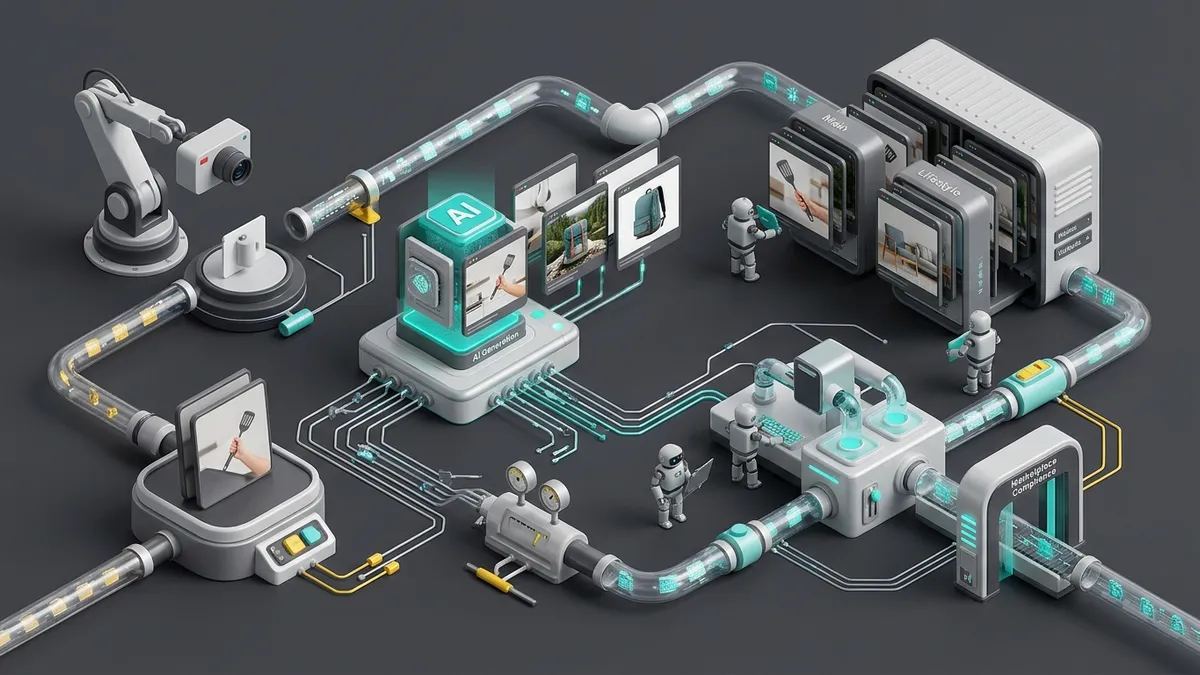
On a product detail page (PDP), the image gallery does much of the selling: shoppers use it to check what the product looks like, how big it is, what comes in the box and how it is used. Producing a complete gallery for every product is expensive with photo shoots alone. AI can now produce part of it, but not all of it, and marketplaces set rules on what is allowed. This guide covers which images to produce, which ones AI can make, the rules for 2026 and 2027, and a workflow to scale.
What a complete PDP gallery contains
| Image type | What it shows | Can AI produce it? |
|---|---|---|
| Main image | The product alone on a clean background | Real photo; AI only for cleanup or background removal |
| Angles and details | Back, sides, textures, labels | Real photos: they must match the product exactly |
| In scale | The product next to a person or a known object | Possible by compositing a real photo, if proportions are exact |
| Lifestyle | The product in use, in context | Yes: this is where generative AI saves the most |
| What's included | Everything in the box | Real photo |
| Feature callouts and infographics | Dimensions, materials, key benefits | Templates filled with product data, not image generation |
| Variants | Each color or finish | Real photos; AI recoloring risks showing a color that does not exist |
The Baymard Institute's e-commerce UX research found that 28% of product pages get the "in scale" image wrong and 44% show no image of the included accessories. Its testing also showed that on mobile, thumbnails help users see what each extra image contains, where dots do not.
Where AI helps, and where it does not
AI is strong at producing context around a real product photo: removing the background, placing the product in a kitchen, an office or outdoors, extending an image to a new aspect ratio, and creating seasonal variations for campaigns. It turns one good studio shot into a full set of lifestyle images in minutes.
It is weak wherever the image must prove something about the product: exact colors, textures, proportions, labels and contents. An AI image that makes a product look bigger, shinier or more complete than it is leads to returns and complaints, and on marketplaces to rejected listings. Keep these images real.
Infographics are a different case. Dimensions, materials or certifications should come from your product data, not from an image model, so they stay correct when the data changes. That is a job for templates.
The rules to respect in 2026 and 2027
- AI metadata. On Google Merchant Center, every image created with generative AI must keep the metadata that says so, such as the IPTC DigitalSourceType tag. Do not strip it when you export or compress files.
- Minimum size. From 31 January 2027, Google requires at least 500 × 500 pixels for all product images, and recommends about 1500 × 1500. Products below the minimum are disapproved.
- Clean main image. No prices, calls to action, promotional words, watermarks or added logos on the main image. Feature callouts belong in additional images.
- Marketplace rules. Amazon and other marketplaces have their own image rules; our guide to AI images for Amazon covers them.
A 5-step workflow to scale PDP images
- Define the gallery per category. For each category, list the image types required, in order, with their format and size.
- Shoot what must be real. Main image, details, variants and contents, ideally in one studio session per product.
- Turn each image type into a template. Infographics, in-scale compositions and lifestyle layouts become approved templates with locked brand elements.
- Fill templates from product data. Data from your PIM or a spreadsheet fills dimensions, names and claims; AI generates backgrounds and scenes inside the template.
- Review, tag and publish. Check a sample per batch, keep AI metadata, export every size each channel needs, and track returns and conversion per product.
This approach is the same as bulk visual generation for advertising, applied to product pages.
Sources: Google Merchant Center Help, image link specification; Search Engine Land (February 2024); Baymard Institute. Checked on 15 October 2026.
Brandeploy: brand management and creative automation in one platform
Brandeploy helps enterprise teams produce on-brand content at scale, including product visuals. Each image type becomes a locked template; product data from your PIM or a spreadsheet, or through the REST API, fills it; and every size is exported for your site and marketplaces. To see it with your own catalog, book a demo.
FAQ
What are PDP images?
PDP images are the photos and visuals in a product detail page gallery: the main product shot, other angles and details, the product in scale and in use, what is in the box, and infographics that explain key features.
Can I use AI-generated images on product pages?
Yes, with care. Use AI for lifestyle scenes, backgrounds and format adaptations, and keep real photos for the main image, details, colors and what is included. On Google Merchant Center, AI-generated images must keep the metadata that says so (IPTC DigitalSourceType trainedAlgorithmicMedia).
What image size does Google Shopping require?
From 31 January 2027, product images must be at least 500 × 500 pixels for all products; Google recommends about 1500 × 1500 pixels. Non-compliant products are disapproved.
Can I add text or badges to the main product image?
Not on Google Merchant Center: the main image must show a clean view of the product, with no prices, calls to action, promotional words, watermarks or added logos. Put feature callouts in additional images instead.
How do I produce PDP images for thousands of products?
Start from your product data and a set of approved templates: each image type becomes a template, product data from your PIM or a spreadsheet fills it, and AI handles backgrounds and scenes. A creative automation platform such as Brandeploy generates every format from the same record.
Written by
Rédaction Brandeploy
Ready to scale your content production?
Book a demo