
Streamline creation
Scale your content creation:
faster, smarter, automated
Brandeploy scales video, banner and text creation, in every market, and every channel, reducing slow and manual processes. Designers, agencies and marketers collaborate globally and locally, in a personnalised workflow with headless connections to DAM, CMS and PIM.
One platform for brands and agencies
One platform designed for creatives and made easy for marketers
Unleash creativity
A powerful design solution that meets creative teams' needs
- Build your brand system with brand chart, templates, and resources
- Leverage video and banner professional functionalities
- Import automatically photoshop files
Create together
With creations accessible by anyone, you decide who can create, comment or modify
- Marketers: create from templates without graphic skills required
- Managers: brief, comment and approve
- Countries: translate automatically with AI
- Supervisors: monitor projects, status, tasks
Automate creation
A brand-AI power engine V2.3, that streamlines production
- AI-generate articles, images and audios, personnalised to your brand
- Create automatically directly from excel inputs
- Resize automatically in multiple formats adapted to Google, Meta, display
- Translate instantly with AI directly in your creations
Customise experience
Setup workflows for each use case and connect to your DAM, PIM, CMS
- Set production creaflows for each use case including steps and roles, with powerful right management
- Feedback directly in the creatives
- Monitor your projects from brief, tasks to status approval.
- Connect with API to your DAM, PIM, CMS
Examples where Brandeploy
makes the difference
Localise global campaigns
How Nuxe localises marketing toolkits in 60 countries?
Localising large toolkits made of videos, banners, product ads was taking to much time and money.
Graphic designers now provide all of their digital content on the platform. Shared with countries, they can translate, resize and personalise all their contents themselves without graphic skills directly from the platform.
Overall time to market has been reduced.
- 15K
- Creatives
- €350K
- Local savings
Accelerate sell out
Groupe Seb drives sell-out by delivering compelling e-retail PDP content in every market
With hundreds of product launches each year and 7 benefit images and videos per SKU, Groupe Seb creates and translates thousands of assets annually.
Thanks to Brandeploy, they multiplied the localized PDP images and videos by 7 between 2019 and 2022.
- 24K
- Creatives
- -62%
- Cost per asset
Automate banner acquisition
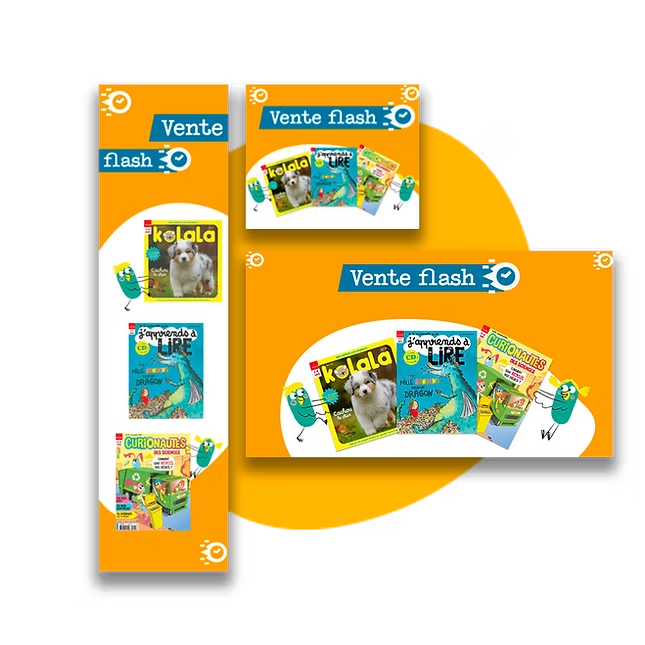
Bayard reduces time by 80% to create its sets of banners every month
Bayard reduces production time by leveraging creative automation to generate banner variations at scale.
Instead of briefing external designers to manually resize and adapt each asset, their teams, without graphic teams, use dynamic templates that automatically adjust formats, messaging, and visuals based on predefined rules.
This eliminates repetitive tasks, accelerates localization, and ensures brand consistency across all platforms.
- 80%
- Time saved
- 75%
- Time reduction
Our white book
AI, an opportunity for your career
Understand how AI will reshape marketing professions. Don't just endure it — turn it into an opportunity.
Stay in touch
Book your 30 minutes meeting now
Fill out the form and one of our reps will be in touch within 24 hours
Book your meeting now